- What Are Free Resume Tools?
- Who Should Use Free Resume Tools?
- Important Features to Look For in Free Resume Tools
- List of the Best Free Resume Tools
- Jump Resume Builder
- Canva
- Novoresume
- Resume.com
- Comparison Table: Which Free Resume Tool Should You Use?
- Step-by-Step Guide: How to Build a Job-Winning Resume Using Free Tools
- Pick a Clean and ATS-friendly Template
- Write Strong Resume Sections
- Header
- Professional Summary
- Skills
- Work Experience
- Education
- Certifications
- Projects
- Achievements
- Optimize Your Resume for ATS
- Review, Edit, and Finalize
- Final Thoughts
- FAQs
- Are free resume builders actually good?
- Do free resume tools work for ATS software?
- Can I download resumes without paying?
- Which tool is best for beginners?
- Should I use a free or paid resume tool?
- Can I use AI to write my resume for free?
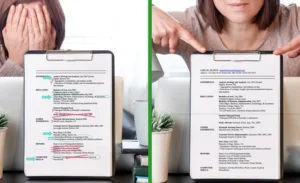
How confident are you about your resume? Do you feel positive after applying to a job, or still think you are gonna get ghosted? You could have such a state not because you doubt your abilities, but because your resume can bring your confidence down.
A resume is the first and last document that a recruiter gets about you. Just think about it that way, and how important it is to have an attractive resume.
In the current job market, every candidate who steps out to look for a job suffers greatly from a bad or incompetent resume. The only drawback is not using a reliable resume builder for applications. With the right free resume tools, you can create a professional resume that increases your chances of landing interviews. In this blog, you will learn about the free resume tools in the industry and how to use them to make your resume.
What Are Free Resume Tools?
Free resume builder is a tool that allows you to make your resume for free. It covers all aspects of the resume-building process, from start to finish. You don’t have to pay a penny to access any feature of the tool.
So, how do you know whether the online resume tools are free or not?
Some tools that offer resume making are not fully free to use. Once you log in and start making your resume, you won’t be able to access some features, or worse, you won’t be able to download your document. However, a free resume builder is one in which you to access all features and download your resume, too.
Before using any resume writing tools on the web, ensure that they offer their features for free.
Suggested Read: What is a Resume? Understanding Its Purpose and Importance
Who Should Use Free Resume Tools?
Everyone wants a free service. But as we talk about free resume tools, there is a category that benefits most:
- Students and fresh graduates.
- Career switchers.
- Job seekers on a budget.
- Those applying internationally.
- Candidates who need quick, professional layouts.
Important Features to Look For in Free Resume Tools
Okay, you are looking for a free resume builder, but that still doesn’t mean that you can use any available online resume tools. Your chosen free CV builder should have the following features to offer:
- ATS-friendly resume templates.
- Easy-to-use drag-and-drop editor.
- Multiple resume formats (PDF, DOC).
- Free downloads (no watermark).
- AI-powered writing suggestions.
- Keyword optimization feature.
- Spell-check and formatting assistance.
- Industry-specific resume examples
These features of AI resume tools help you understand the gaps in your application, and you can easily rebuild one.
List of the Best Free Resume Tools
There are plenty of resume formatting tools online, and everyone wants you to sign up for their service. But you have to be very responsible for your decisions. After all, it is your resume application. So, read below how the tools can help you:
Jump Resume Builder
Jump Resume Builder is the ultimate tool that helps you create a professional resume. It is a free resume builder, offering AI assistance and packed with every feature you need for creating ATS-winning resumes. It is one of the best free resume builders online that focuses on clarity, formatting, and keyword optimization, and makes your resume easy to read and attractive for recruiters:
Why It’s Good to Use
- It provides ATS-approved, recruiter-tested templates that ensure your resume passes applicant tracking systems scans.
- The interface of Jump Resume builder is simple, clean, and beginner-friendly. Everyone can use the tool without any discomfort.
- It offers AI-powered writing suggestions to help you write a strong summary, clear and achievement-focused job responsibilities in bullet points.
This tool includes industry-specific examples, so you never struggle to figure out what to write in the sections of the resume. - Jump Resume Builder allows you to build and download a quality resume for free, without any unnecessary steps.
- It’s best for job seekers who want an ATS-proof resume quickly.
Pros
- ATS-friendly templates that are fully compliant with modern hiring practices.
- Quick and easy to use AI resume builder with an intuitive editor.
- Unlimited free downloads without watermarks.
- AI suggestions for writing summaries, skills, experience, and resume formatting.
- Professionally arranged layouts that instantly improve readability.
Con
Limited template variety compared to creative and design-focused platforms.
Read More: How to Create a Winning ATS-Friendly Resume That Gets You Hired
Canva
Canva is one of the most popular design tools, and it also allows you to make resumes. Being a design-first platform, this tool can help you create creative and design-centric resumes. However, this tool is not built for making ATS resumes.
Pros
- A beginner-friendly tool for both designs and resumes.
- It offers a library of design elements to create your applications for the design field.
- The tool offers an easy user interface for all professionals.
- It allows resume export to PDF.
Cons
- Most templates are not ATS-friendly, and they often get rejected by screening software.
- The free version has limited design elements, which makes your resume incomplete.
- Over-designed templates may look unprofessional in corporate industries.
- It often loads slowly on older devices due to being a graphics-heavy platform.
Novoresume
This is also a famous online resume builder tool that allows you to make ATS-friendly and simple resume applications. The resume generator online has an AI-powered feature and offers both free and paid versions, and helps job seekers with making clear, formatted, and creative resumes.
Pros
- It provides modern and ATS-friendly resume templates and AI suggestions for writing.
- The tool helps with complete formatting and aligning the structure of the resumes.
- It offers an easy editing experience for beginners.
- Novoresume has a smooth user interface that enhances the user experience.
Cons
- Most of the best templates and features are locked behind a premium subscription.
- You cannot use multiple pages unless you upgrade to the paid version.
- The free version restricts multiple customization options for resume making.
Resume.com
Another online resume builder tool offers both ATS-friendly and non-ATS resume templates. This tool has AI assistance in writing and optimizing your resumes. Additionally, you can also track your application progress in the same tool. The resume builder is best for users who want a quick application in their hands.
Pros
- The AI resume builder is completely free to use and offers free resume downloads.
- An easy and fast builder is best for quick results.
- Provides resume structuring, and non-experienced users can be assisted easily.
Cons
- The templates look very basic and may not stand out in the hiring process.
- The results of this tool are not as modern or polished as other resume tools.
- It offers limited customization options for resume formatting.
- Some templates may not fully comply with ATS formatting standards.
Comparison Table: Which Free Resume Tool Should You Use?
According to a recruitment survey by Select Software, it only takes 90 seconds for employers to choose a candidate based on their resumes. These figures show how much you need to be careful with your resume. And the best way to be competent is to use the best free resume builders.
| Resume Tool | Best Feature | Free Download Availability | Template Quality & Variety | Best For |
| Jump Resume Builder | AI-assisted and ATS-optimized resume writing | Free downloads(no watermark) | Clean & professional ATS templates | Job seekers who want an ATS resume fast |
| Canva | Creative, visually appealing designs | Free download(some elements limited) | Creative templates, graphic-heavydesigns | Resumes for creative roles |
| Novoresume | Modern, trendy layouts | Free, but with limitations | Stylish templates and more variety in the paid version | Users who want a modern-style resume |
| Resume.com | Very simple and easy to use | Completely free | Basic templates with minimal design | Beginners who need a quick resume service |
Step-by-Step Guide: How to Build a Job-Winning Resume Using Free Tools
Next up, once you have searched for the resume writing tools, like Jump Resume Builder, you can hop on to making an ATS-optimized resume. Thus, follow the steps below:
Pick a Clean and ATS-friendly Template
Firstly, pick an ATS resume template from the library of the free resume builder. Ensure that the template matches your job industry and demonstrates your professional details in a clear view.
Additionally, stay away from heavy graphic resume layouts unless you are a creative designer. Remember, ATS-friendly resume templates are always simple.
Write Strong Resume Sections
Then, come to the main resume-making part. Free resume tools help you build your application by just adding your details in the pre-designed templates.
Header
It’s the topmost section in the free resume templates. Here, type your name in the bigger and bolder font. Then, add other personal information like email, phone number, website, and LinkedIn profile link.
Professional Summary
This section is very easy to write with the help of online resume tools. Here, you have to mention your key skills and experience, and what solutions you can bring to the role. Always take AI suggestions to write and optimize this section.
Skills
Do some research online and mention the hard and soft skills that you have for the job role. A free resume builder also suggests that you mention your best skills that will make your resume optimized.
Work Experience
The core section of your resume needs the most attention of all. Follow this structure in the resume generator online :
- Clearly state the job role, followed by the company name.
- Use bullet points to describe job responsibilities.
- Add stats in your job descriptions to highlight your achievements.
- Ensure that the text has a natural flow of information.
Education
In the free CV builder, give your complete educational details. Write your degree name followed by the institution name, and also mention your major subjects for a better impact. Free resume tools also guide you about the correct structure of this section according to the chosen template.
Certifications
This is a separate section from the educational details part. Here, if you have gotten certification for any course, write it down and ensure it follows the right structure.
Projects
Experienced candidates often add their academic or freelance projects to their resumes as well. If you believe you have a good project to share in the application, take help from free resume tools to help you mention the projects with impactful details.
Achievements
Add another section in your resume if you have to mention your academic or professional achievements. AI resume tools suggest the best words to describe your best wins.
Optimize Your Resume for ATS
The use of online resume builder tools is not only for making a resume application. They have another important job to do as well. When they provide ATS-friendly resume templates, they also optimize your resume.
Just paste the job description in the free CV builder and ask it to optimize the application. It will suggest the job-specific keywords and action verbs to add to the resume text, which will make your application fully ATS-compliant.
Read More: Best Resume Tips to Land a Job in 2025
Review, Edit, and Finalize
You are done with your application, but don’t download it yet. There may be some mistakes left in the resume. So, activate your AI resume tools, ask it to proofread your resume for any mistakes and gaps. Also, give a manual check too to tailor your resume to a job description.
Final Thoughts
It’s not your magic touch that’s gonna make your resume shine, it’s the free resume tools online that help you build it. So, instead of making more mistakes and trusting the wrong tools, choose Jump Resume Builder. It is your best free resume builder that is super easy to use, and has ATS-friendly templates and AI assistance that make your resume ready in minutes.
So, what are you waiting for? Head to Jump Resume Builder and follow its smooth resume-making process, and send your application swiftly.
FAQs
Are free resume builders actually good?
Yes, free resume builders are as effective as paid resume-making tools. They offer AI suggestions, with ATS and creative resume templates with structured sections. However, the quality of the free CV builder may vary. Some free tools, like Jump Resume Builder, offer complete features and unlimited downloads, which will ease your resume-building journey.
Do free resume tools work for ATS software?
A free resume builder is absolutely safe if it provides ATS-friendly templates. Ensure you always choose an ATS-ready template and avoid using any design elements in the resume. This will keep your resume professional and clean and will pass the ATS test.
Can I download resumes without paying?
Yes, many online resume tools allow a free PDF or DOC file download option. However, if you have to make multiple applications, then consider using a resume builder with free download options.
Which tool is best for beginners?
For beginners, the best tool would be the one that has a simple user interface with ATS templates and formatting, and AI suggestions for optimization. Jump Resume Builder is the best beginner-friendly free resume builder to help with resume building.
Should I use a free or paid resume tool?
If you are creating your first ATS-friendly resume and want quick results, using a free resume builder is a good option. If you want a more in-depth customization, premium ATS templates, and personalized advice on resume-making, then use a paid online resume tool.
Can I use AI to write my resume for free?
Yes, you can use AI resume builder tools to write your resume applications. Just choose your desired template, paste the job description in the tool, and ask it to use action words and job-related keywords to write an ATS-optimized resume.
- What Are Free Resume Tools?
- Who Should Use Free Resume Tools?
- Important Features to Look For in Free Resume Tools
- List of the Best Free Resume Tools
- Jump Resume Builder
- Canva
- Novoresume
- Resume.com
- Comparison Table: Which Free Resume Tool Should You Use?
- Step-by-Step Guide: How to Build a Job-Winning Resume Using Free Tools
- Pick a Clean and ATS-friendly Template
- Write Strong Resume Sections
- Header
- Professional Summary
- Skills
- Work Experience
- Education
- Certifications
- Projects
- Achievements
- Optimize Your Resume for ATS
- Review, Edit, and Finalize
- Final Thoughts
- FAQs
- Are free resume builders actually good?
- Do free resume tools work for ATS software?
- Can I download resumes without paying?
- Which tool is best for beginners?
- Should I use a free or paid resume tool?
- Can I use AI to write my resume for free?