- What Is a One-Page Resume? Why It Works
- What Should an Ideal One-Page Resume Include?
- The Header Section
- Resume Summary
- More Space for Experience Section
- A Short Skill Section
- Simply Mention Education
- How to Format Your One-Page Resume for Maximum Impact
- How to Fit Everything Into One Page: Space-Saving Techniques
- Making Your One-Page Resume ATS-Friendly
- Common Mistakes to Avoid When Writing a One-Page Resume
- Tools That Help You Easily Create a One-Page Resume
- Final Thoughts
You just got 7.4 seconds to impress a recruiter. And you think your long resume applications are somehow going to work? You need to realize that your resume is not ideal, and maybe that’s why it’s not going to give any positive results upon every application. You need to craft an ATS-friendly resume that captures all your key experience in one page.
So, what is the ideal resume length? A one-page resume. The one-page resume format is the best application document that contains all your important professional information. Some candidates may have difficulty making a compact and ATS-friendly resume. Even some candidates don’t know how to make one.
Well, this blog is the right guide for helping you make that simple and effective one-page ATS-friendly resume.
What Is a One-Page Resume? Why It Works
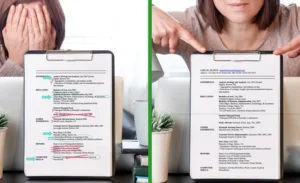
A resume layout that contains all the resume sections on a single page is an ideal resume. It’s not too long nor too short, as it perfectly states your experience and capabilities in a single document.
If we talk about one-page resume examples, then recent graduates, entry-level candidates, career changers, and job seekers with approximately 5-10 years of experience should use this resume length.
Some candidates may think that a single-page resume will make their achievements or experience appear insufficient, but that’s not true. Recruiters need to quickly scan and shortlist resumes; therefore, a shorter one is always better.
Industries like marketing, advertising, design, customer services, and sales in both private companies and startups always prefer a one-page resume format.
What Should an Ideal One-Page Resume Include?
Making a one-page resume format is not complex. You just have to fit all your career milestones into a short and impactful single document. If you don’t know how to make a one-page resume, follow the tips below:
The Header Section
This is the topmost section in the ATS-friendly resume. In this section, you have to add your full name, contact number, residential address, and email address. Additionally, you can mention your LinkedIn profile link and portfolio link.
No other things should be included in this section. Moreover, choose a resume layout in which the header section is short and direct, as it will leave more space for other sections.
Resume Summary
Following the resume section order, this comes in the second section in the document. This section is a collective summary of your experience, skillset, and interest in the industry.
Many candidates make a mistake here and write a long summary. It’s not useful at all. Just keep the summary up to 2 to 3 lines. If you don’t know how to write it, just use the resume summary guide from the AI resume builder and generate the perfect summary.
More Space for Experience Section
When you keep your header and summary section short, you get more space to freely write your experience section. In a one-page resume format, this is the core section of the document, and you have to utilize it strategically.
Write the job role followed by the company name, and then use a bullet point structure to list your role responsibilities. Also, use metric style writing to mention your achievements in the job.
Your resume should include at least 3-4 work experiences in this section. If you are an entry-level candidate, don’t stress about filling out your resume. Just keep a consistent spacing to keep the document easily readable and simple.
A Short Skill Section
A skill section resume is often short. Here, you just have to mention the skills and don’t need to explain them with the job role. So, when following the one-page resume tips, mention both hard and soft skills in the same section.
You can mention the tools and software applications first, and then you can add the behavioral and social skills.
Moreover, following the one-page resume format, you have to write this section accordingly. If the original template had used bullet points, you should try fitting your skillset in the same way. But if you struggle with space, you can use a simple line structure, using commas to separate every skill.
Remember, you don’t have to drag this section.
Simply Mention Education
Again, an ATS-friendly resume utilizes all the sections of the document wisely. In the education section, you have to mention your degree name followed by the institution name.
If the resume layout allows you to mention your major or relevant subjects under these two, mention the subjects too, but don’t overdo them.
Suggested Read: What Is an ATS Resume? A Complete Guide for Job Seekers in 2025
How to Format Your One-Page Resume for Maximum Impact
Resume writing tips help you keep your application ideal and attractive for recruiters. For a one-page resume, use the following guide to format your resume correctly:
- Choose between a reverse chronological or functional resume format. These are made to fit every candidate’s needs and cover all sections appropriately.
- Use simple fonts like Arial, Calibri, or Times New Roman and keep the text size 10 or 11 when writing the content. For headings, use a 13 or 14 font size.
- Keep a 01-0.5 line spacing between all texts to have a coherent style. Additionally, leave a one-inch margin on all sides of the document.
- Use white space in the resume document wisely and keep this space consistent.
- Don’t use overly designed resume templates, as they don’t make ATS-friendly resumes.
How to Fit Everything Into One Page: Space-Saving Techniques
A professional resume structure is one in which you can keep the resume length to one page. Is it difficult? Quite so. Depends on whether you are not following any resume writing guide; then it must be difficult for you. But following a resume layout often makes things easy. Thus, below is an additional strategy for you that will keep your resume compact:
- Combine skills and tools in one section and mention only those related to the job.
- Reduce bullet points in some sections, like the skills and education section.
- Prioritize results over responsibilities. It will keep the bullet points short.
- Cut filler words and redundant details in all sections.
- Don’t add an internship or your first job experience. Utilize the space accordingly.
- Strategic use of columns for a better resume layout.
Read More: Resume Sections & Categories with Tips on Order & Titles
Making Your One-Page Resume ATS-Friendly
When you are following one-page resume tips, don’t forget about making your resume ATS-friendly. This is the only form of resume that gets accepted by the companies that use hiring software. As companies are trying to adopt better and fair hiring practices, they use both applicant tracking software and manual scanning for hiring.
First, the hiring software scans the resume, scores it, and ranks it accordingly based on its compatibility. After the initial filtering and sorting, the rest of the resumes are left to be judged by the recruiters. Therefore, it is important to stay compliant to make ATS-friendly resumes and stay in the competition.
To make an ATS-friendly resume, follow the simple steps below:
- Use job-specific keywords in the text where possible.
- Avoiding design-heavy resume formats.
- Only use a PDF, DOCX, or Word file when sending your resume.
- Use only simple and clean design templates that recruiters prefer.
Common Mistakes to Avoid When Writing a One-Page Resume
You know about the resume section order and how much information you need to add in these sections. But still, while following one-page resume tips, you may make some mistakes in the process. So, be wary of these things that make your application weak:
- Stuffing too much information in the resume.
- Using overly creative design resume templates.
- If you use personal pronouns or have long paragraphs of text.
- Including irrelevant experience of jobs that don’t add value.
- Have a wrong resume section order that confuses recruiters.
Tools That Help You Easily Create a One-Page Resume
Now, how to make a one-page resume quickly and easily? You need to find a reliable and modern AI resume builder.
Jump Resume Builder is the right resume-making tool that is completely free to use and offers the best templates and AI suggestions to help you make your application. In just 10 minutes, you have a complete resume document ready, and you can download it in your preferred file format.
Using Jump Resume Builder helps you make ideal resumes, and you can download as many applications as you want. This helps you track your applications.
Read More: How to Email a Resume to Get a Job with Examples
Final Thoughts
We all go through the trial-and-error phase in job hunting. But it is important to learn from mistakes and improve early to catch up on good opportunities. Not making an ideal resume can cost you a lot.
So, pick an AI resume builder and choose ATS-friendly templates and AI suggestions for writing. Additionally, keep all sections compact and crisp, and leave more space for your work experience section. Use a bullet-style structure and use numerical figures to showcase your expertise. Following these tips will easily give you a one-page resume that recruiters can easily shortlist.
- What Is a One-Page Resume? Why It Works
- What Should an Ideal One-Page Resume Include?
- The Header Section
- Resume Summary
- More Space for Experience Section
- A Short Skill Section
- Simply Mention Education
- How to Format Your One-Page Resume for Maximum Impact
- How to Fit Everything Into One Page: Space-Saving Techniques
- Making Your One-Page Resume ATS-Friendly
- Common Mistakes to Avoid When Writing a One-Page Resume
- Tools That Help You Easily Create a One-Page Resume
- Final Thoughts